 Whozta
 Insights · 20 min read
Buying Committee Mapping: A Practical Guide for Sales Teams
Master buying committee mapping to identify key decision-makers, engage stakeholders effectively, and boost your sales success!

Buying committee mapping is the process of identifying every person who influences a purchase decision, defining each one’s role, and tracking whether you’ve actually engaged them. The immediate move: for your active opportunity, name the champion, the economic buyer, and the person most likely to block the deal, then write those three names into your CRM today. Do that consistently and you cut single-thread risk, the single biggest cause of stalled late-stage deals.
TL;DR:
- Mapping should be updated continuously, as buying committees shift during the deal cycle due to changes like reorgs or new stakeholders.
- Verifying contact data with tools like Whozta reduces stale information, speeds up mapping, and prevents wasted outreach efforts.
- Engaging multiple stakeholders through multithreading with tailored messages strengthens internal buy-in and mitigates single-thread risks.
- Standardizing role taxonomy and maintaining a live, shared committee map across teams enhances visibility and collaboration, improving overall deal success.
Table of Contents
- What Is Buying Committee Mapping, and Why Does It Matter?
- What Roles Show Up on a Buying Committee?
- How Do You Actually Map a Buying Committee Step by Step?
- What Templates and Tools Make Mapping Operational?
- How Do You Engage a Committee Without Losing Control of the Deal?
- How Do You Measure Coverage and Mapping Maturity?
- How Verified Contact Data Speeds Up Accurate Mapping
- Common Pitfalls in Buying Committee Mapping
- How Organizational Changes Reshape a Buying Committee Mid-Deal
- Getting Buy-In Across Departments for Mapping Discipline
- What Do Real Buying Committee Mapping Wins Look Like?
- What I’d Tell a Sales Team Starting This Today
- Fill Coverage Gaps Faster With Verified Contact Discovery
- Sources
What Is Buying Committee Mapping, and Why Does It Matter?
An org chart tells you who reports to whom. A buying committee map tells you who actually shapes a purchase decision, and those are rarely the same people. A director three levels down from the CFO might be the real economic buyer for a $200,000 software contract because the CFO delegated approval authority. A junior analyst might functionally block the deal because legal routes every contract through her first. Org charts are static and public. Buying committee maps are dynamic, deal-specific, and built from evidence you gather deal by deal.
The stakes are bigger than most sales teams assume. Gartner’s research on the B2B buying journey finds that a typical complex B2B purchase now involves six to 10 decision-makers, each carrying their own priorities, risk tolerance, and internal politics. Sell to only two or three of those people and you’re negotiating blind against voices you never heard from.
That blindness has a cost you can measure. Deals that rely on a single internal contact die more often at the finish line, usually when a stakeholder nobody engaged surfaces late with an objection nobody prepared for. Committee-mapped deals move faster through the pipeline because objections surface early, when there’s still time to answer them, rather than in week 11 of a 12-week sales cycle.
Mapping isn’t a one-time exercise you run at deal kickoff and forget. Start it the moment an opportunity gets created, even from a single inbound lead, because the committee is already forming whether you can see it or not. Forrester’s research on business buying documents a shift toward self-service and distributed evaluation, meaning stakeholders are researching and forming opinions long before a rep ever gets a meeting.
A few myths get in the way here:
- “The person who took my first call is the decision-maker.” Often they’re the technical evaluator or the end user tasked with vetting options, not the person who signs.
- “Mapping is a one-time task at deal kickoff.” Committees shift as budgets get reviewed, priorities change, or a new hire joins mid-cycle.
- “More contacts always means more risk.” Coverage without role clarity just creates noise. Five contacts with defined roles beat twelve contacts with no idea what any of them care about.
What Roles Show Up on a Buying Committee?
Every buying committee looks different in headcount, but the functional roles repeat across industries with striking consistency. Knowing which archetype you’re talking to changes what you send them, how you frame ROI, and which objections you prepare for.
The champion wants the win internally as much as you want the sale. They’re usually a mid-level manager or director feeling the pain your product solves firsthand. Their objection is rarely about your product. It’s “will this actually get approved, and will I look good pushing it?” Arm them with internal-facing content: ROI calculators, comparison one-pagers, and language they can repeat in a room without you present.
The economic buyer controls the budget and cares about one thing above all others: does this spend make sense against everything else competing for the same dollars. They rarely want a product demo. They want a business case with numbers that survive scrutiny from their own boss.
The technical evaluator stress-tests your claims. Engineers, IT leads, or security teams fall here. They want documentation, integration specs, and proof your product won’t break something else. A polished pitch deck does nothing for this person. A sandbox environment or a technical FAQ does.
The end user will actually work inside your product daily. Their objection is usually adoption friction: “will this make my job harder before it makes it easier?” Demos and trial access move this person more than any deck.
Procurement and legal care about risk, terms, and precedent, not product features. They want contract templates, security certifications, and clean answers on data handling.
Influencers hold no formal authority but get consulted informally, often a respected peer or a former user of a competing product. Executive sponsors appear late, care about strategic fit, and rarely need convincing on details, only on why this matters now.
The blocker is the role teams most often miss mapping deliberately. Sometimes it’s a defender of the status quo, sometimes it’s someone who evaluated a competitor and has skin in that outcome. Ignore them and they surface in week 11 with an objection you never prepared for.
| Role | Primary concern | Content that moves them |
|---|---|---|
| Champion | Internal credibility, approval odds | ROI calculators, internal talking points |
| Economic buyer | Budget justification, opportunity cost | Business case, peer benchmarks |
| Technical evaluator | Integration risk, security | Documentation, sandbox access |
| End user | Adoption friction, daily workflow | Live demo, trial access |
| Procurement/legal | Contract risk, compliance | Security certs, contract templates |
| Blocker | Status quo, competing loyalty | Direct conversation, risk mitigation |
Committee size and role overlap shift with company size. At a 50-person company, one person might act as economic buyer, technical evaluator, and end user simultaneously. At a 5,000-person enterprise, those roles split across five separate people in three departments, and procurement alone might involve two or three additional reviewers you never anticipated.
How Do You Actually Map a Buying Committee Step by Step?
Mapping breaks into five repeatable stages: Define, Discover, Map, Validate, Maintain. Skip any one of them and the map either never gets built or goes stale within a month.
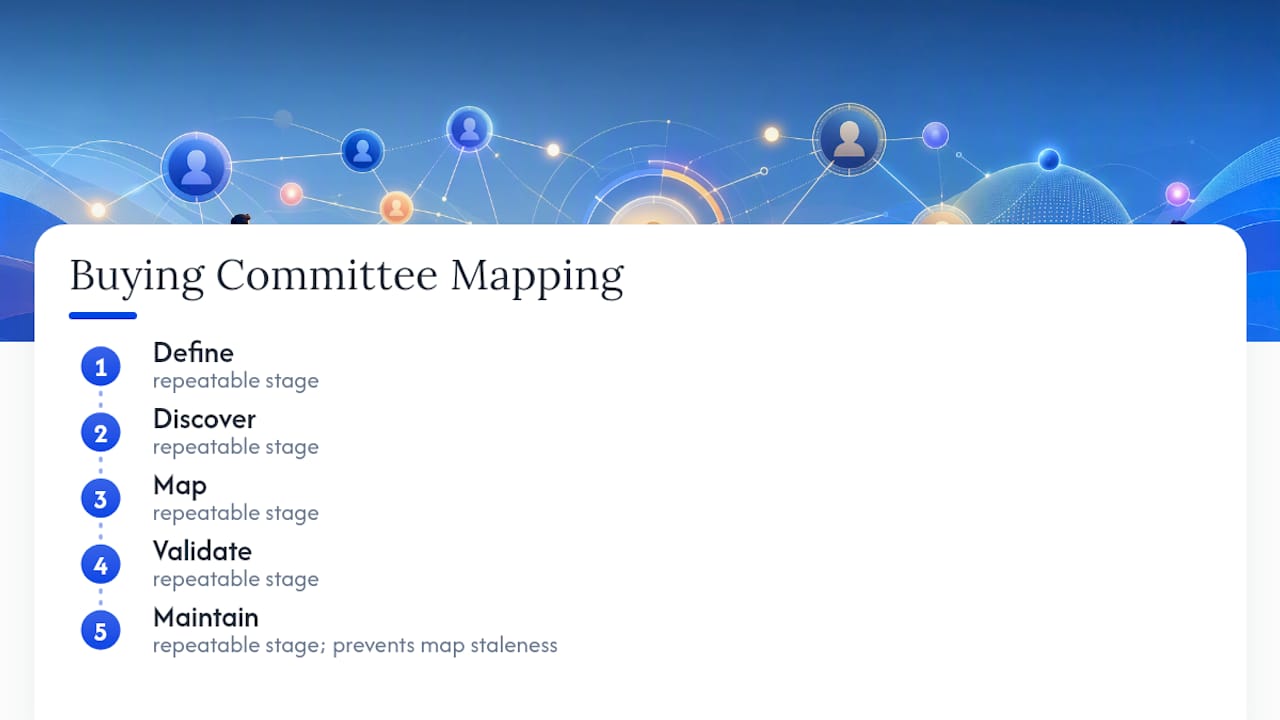
1. Define your role taxonomy before you touch a single contact
Agree internally, once, on the role labels you’ll use across every deal: champion, economic buyer, technical evaluator, end user, procurement, influencer, executive sponsor, blocker. Add these as a picklist field in your CRM, not a free-text field, or reps will invent their own labels and your reporting falls apart within a quarter. Pair it with an “engaged” boolean and an “influence level” field (high, medium, low) so managers can query coverage gaps without reading call notes.
2. Discover who’s actually in the room
Start with what you already have. CRM history often holds names of people who replied to old emails, attended a webinar, or downloaded a whitepaper years before the current opportunity opened. Cross-reference those names against the current deal.
From there, widen the net using:
- LinkedIn for org structure, recent job changes, and shared connections who can make introductions.
- Contact enrichment tools to confirm titles, verify emails, and surface direct dial numbers before you waste a call on a wrong number.
- Website analytics to see which pages, pricing sections, or case studies specific accounts have visited, which often reveals who’s actively evaluating even before they’ve taken a call.
- Intent data to catch account-level research activity happening outside your own site entirely.
Gartner’s 2025 research on buyer preferences found a majority of B2B buyers now prefer a rep-free buying experience, which means a growing share of your committee will never proactively reach out. You have to go find them through these passive signals instead of waiting for a reply.
Prioritize sources by signal strength, not convenience. A name that shows up in three separate signals (CRM history, a LinkedIn title change, and a repeat pricing-page visit) deserves a call before a name that shows up once.
3. Map relationships, not just names
A flat contact list tells you who exists. A map tells you how they relate. Record, for each stakeholder: role, influence level, whether they’re engaged, and the source that surfaced them. A simple relationship graph, hand-drawn or built in a whiteboard tool, showing reporting lines and informal influence arrows, often reveals blockers a spreadsheet hides.
4. Validate through your champion, not assumptions
Never guess at approval chains. Ask your champion directly: “Walk me through who signs off on a purchase like this, start to finish.” Follow with: “Who’s likely to push back, and why?” These two questions surface more accurate committee structure than weeks of LinkedIn stalking. If your champion hesitates or can’t answer clearly, that’s a signal your champion isn’t as connected internally as you assumed, and you need a second internal ally.
5. Maintain the map or watch it rot
Review committee maps at every stage-change in your pipeline, not on a fixed calendar. A promotion, reorg, or new hire mid-cycle can quietly swap your economic buyer overnight. Build a habit of asking “anything change on your end?” in every call, not just at the start of the deal.
Pro Tip: Set a CRM automation that flags any opportunity in a late stage with fewer than three “engaged” stakeholders. That single rule catches most single-threaded deals before they die quietly.
What Templates and Tools Make Mapping Operational?
A map that lives only in someone’s head disappears the moment that rep changes territory. Three formats turn mapping from a mental exercise into a shared, queryable asset.
The relationship graph visualizes reporting lines and informal influence with arrows and nodes. It’s the best format for spotting a blocker hiding behind a formal approver, but it’s hard to keep current inside a CRM and works best as a whiteboard or slide reviewed at deal checkpoints.
The stakeholder matrix plots contacts on two axes, typically influence versus support level, so you can see at a glance who’s a high-influence advocate versus a high-influence skeptic. It’s quick to build in a spreadsheet and easy for a manager to scan during a pipeline review.

The engagement-status table is the workhorse for CRM tracking: one row per stakeholder, columns for role, influence, engaged status, last-touch date, and source. It’s less visual than a graph but it’s the format that actually integrates with reporting and forecast reviews.
A minimal but effective set of CRM fields covers most of what you need:
- Stakeholder role (picklist: champion, economic buyer, technical evaluator, end user, procurement, influencer, executive sponsor, blocker)
- Influence level (high/medium/low)
- Engagement status (engaged/identified/unknown)
- Last touch date
- Discovery source (CRM history, LinkedIn, referral, intent data, enrichment)
A short sample workflow: a rep gets an inbound lead, pulls CRM history for old contacts at that account, cross-references names on LinkedIn to confirm current titles, runs the account through an enrichment tool to verify emails and catch anyone who changed roles recently, and logs each name against the taxonomy fields above before the first call even happens. That’s maybe 20 minutes of work that prevents weeks of single-threaded guessing later.
On tooling, LinkedIn Sales Navigator earns its place for org visibility and warm-intro paths. Web analytics tools flag which accounts are actively researching your pricing or comparison pages. Intent data providers catch research activity happening off your own site. Contact enrichment APIs close the loop by confirming the details are current and accurate.
Automate the discovery and enrichment layer. Validate manually. Software is efficient at surfacing candidate names and confirming emails; it can’t tell you whether a stakeholder is quietly opposed to the deal. That still takes a human conversation.
Pro Tip: Don’t let “engaged” mean “sent an email.” Reserve it for a stakeholder who has replied, taken a call, or shown up to a meeting. Vanity engagement metrics are worse than an honest gap.
How Do You Engage a Committee Without Losing Control of the Deal?
Multithreading means opening conversations with multiple stakeholders in parallel instead of funneling everything through one contact. Done well, it de-risks the deal. Done clumsily, it looks like you’re going around your champion, and that erodes the one relationship you can least afford to damage.
A few rules keep multithreading from backfiring:
- Open new threads through your champion whenever possible. A warm introduction from an internal ally lands better than a cold LinkedIn message from a vendor.
- Set a cadence, not a blast. Space new outreach across a week or two rather than contacting five stakeholders on the same day, which can read as pressure tactics internally.
- Go direct only when the champion stalls. If a champion can’t or won’t make an introduction after two reasonable asks, a respectful direct outreach to a technical evaluator or procurement contact is fair game.
Message framing should shift by role, not just by name. A technical evaluator wants proof and specifics, so lead with documentation or a sandbox invite, not a sales deck. An economic buyer wants a business case framed in their language, so lead with cost-of-inaction math and peer benchmarks. Procurement wants clarity on terms, so lead with your standard contract and security posture upfront rather than making them ask.
Arming your champion matters as much as engaging new contacts directly. Build them a one-pager they can forward without editing, an executive summary that survives being read in 90 seconds, and a short battle card addressing the two or three objections you know their internal skeptics will raise. Forrester’s analysis of performance marketing shortfalls makes the case plainly: campaigns and outreach that ignore the committee structure underperform because they optimize for a single buyer persona in a decision that never had just one buyer.
Watch engagement signals across channels, not just your inbox. A stakeholder who hasn’t replied to email but has visited your pricing page twice this week is a warmer lead than a stakeholder who replies politely but never opens another asset. Coordinate what marketing sees in web analytics with what sales sees in the CRM so nobody’s reading half the picture.
How Do You Measure Coverage and Mapping Maturity?
Coverage is the percentage of your identified committee that’s actually engaged, and it’s the single most predictive number for whether a deal closes on time. Track it at both the opportunity level and the account level, since one deal might show strong coverage while the broader account relationship is dangerously thin.
Key metrics worth tracking per opportunity:
- Total stakeholders identified versus estimated committee size
- Number and percentage engaged (using the strict definition, not vanity touches)
- Time-to-engage from stakeholder identification to first real interaction
- Whether the economic buyer is validated, not assumed
- Coverage gaps flagged by role (no procurement contact yet, no confirmed blocker identified)
Gartner’s 2025 survey found a high share of B2B buyer teams show unhealthy conflict during the decision process, which means low coverage isn’t just a visibility problem. It’s a missed opportunity to help resolve internal disagreement before it kills the deal.
A simple four-level maturity matrix helps teams see where they stand:
- Level 1, Ad hoc: Reps track contacts informally, no shared taxonomy, coverage is invisible to managers.
- Level 2, Structured: CRM fields exist for role and engagement, but population is inconsistent across reps.
- Level 3, Systematic: Discovery workflows run at deal creation, coverage gaps get flagged automatically, maps get reviewed at stage changes.
- Level 4, Predictive: Coverage scores feed directly into forecast confidence, and low-coverage late-stage deals get automatically flagged for manager intervention before they slip.
Most teams sit at Level 1 or 2 without realizing it, largely because nobody’s measuring coverage as a formal number. Once you can see a coverage score per opportunity, you can prioritize enablement resources toward the deals that need a second thread opened, rather than spreading effort evenly across a pipeline where some deals are already well covered.
How Verified Contact Data Speeds Up Accurate Mapping
Mapping lives or dies on accurate contact data. A stale title, a wrong email, or a guessed phone number wastes the outreach window you need most, right when a committee is actively forming and paying attention.

Verified contact discovery closes that gap directly. Whozta’s approach pairs web-scraped contact details with a verification layer that checks accuracy before a rep ever sends an email, cutting down the false positives that come from stale directories or outdated LinkedIn caches. Evidence links back to the source page where a detail was found, so a rep can confirm a title change or a role shift instead of guessing.
The practical flow looks like this: run enrichment against a target account, populate the CRM role and influence fields from what comes back, validate the picture through a champion conversation, then refresh the map when the account shows signs of change (a reorg, a new hire, a stalled thread). Batch lookups work well for building out an entire target account list before a quarter starts, while individual lookups fit the moment a new stakeholder name surfaces mid-deal.
Contact data accuracy standards and privacy norms vary by market, so any enrichment workflow should stay mindful of the rules governing the region a given account operates in.
Common Pitfalls in Buying Committee Mapping
The most common mistake is mapping once and never touching it again. A committee captured at deal kickoff looks nothing like the committee three months later after a budget freeze or a reorg, and reps who trust their week-one notes get blindsided.
The second is confusing responsiveness with influence. The stakeholder who replies fastest is often the end user, not the person who actually signs the check. Reps chase the easy conversation and neglect the economic buyer who’s harder to reach but decides everything.
Third, teams over-rely on a single champion without a backup relationship. If that champion changes jobs mid-cycle, which happens more often than most forecasts account for, the deal can lose its only internal advocate overnight.
Fourth, role taxonomy inconsistency wrecks reporting. When one rep tags someone “decision-maker” and another tags an equivalent contact “influencer,” managers can’t compare coverage across a pipeline, and the whole exercise becomes anecdotal instead of measurable.
The fixes are straightforward, if not always easy to enforce. Standardize your role taxonomy in the CRM as a picklist, not free text. Set a recurring trigger, tied to pipeline stage changes rather than a fixed calendar, to review every map. Actively cultivate a second internal relationship beyond your primary champion on any deal over a certain size. And build the discipline of asking “anything changing internally?” on every call, not just when a deal feels shaky.
How Organizational Changes Reshape a Buying Committee Mid-Deal
Reorgs, layoffs, promotions, and new hires can quietly swap out half your committee without anyone telling you directly. A VP who sponsored the deal gets moved to a different division. A director who championed your product gets promoted and hands the project to someone with zero context on the six months of relationship-building that came before.
The warning signs are usually visible before anyone announces anything. A stakeholder who suddenly stops replying, a LinkedIn title change, a new name cc’d on an email thread you weren’t expecting, or a champion who becomes vague about timelines are all signals worth acting on immediately rather than waiting for confirmation.
The right response is to treat any of those signals as a trigger to re-run discovery, not to just wait and see. Pull the account back through LinkedIn and enrichment tools to confirm current titles. Ask your champion directly whether anything has shifted internally, since a direct question usually surfaces more than passive monitoring alone. If your primary contact has left or moved on, identify who inherited their responsibilities and treat that person as a fresh stakeholder requiring the full Define through Validate cycle, not a shortcut.
Deals that survive a mid-cycle reorg are almost always the ones where the rep had cultivated a second or third relationship before the change happened. Single-threaded deals rarely survive a champion’s departure intact.
Getting Buy-In Across Departments for Mapping Discipline
Buying committee mapping only works when marketing, sales, and customer success are reading from the same account picture. A rep who maps a committee in isolation, without sharing it with the marketing team running account-based campaigns against the same company, wastes half the value of the exercise.
Start by agreeing on shared terminology across departments. If sales calls someone a “champion” and marketing’s ABM platform labels the same person a “target contact,” reconcile that language before building shared dashboards, or reporting will never align.
Securing internal buy-in works better bottom-up than top-down. Show a sales manager a real example: a deal that stalled because nobody mapped procurement early enough, next to a deal that closed faster because a second stakeholder was engaged in week two instead of week eight. Concrete before-and-after comparisons persuade skeptical managers faster than a policy memo ever will.
Marketing and sales should share committee data both ways. Marketing’s web analytics and intent signals feed sales with names and engagement clues sales wouldn’t see on their own. Sales’s direct conversations validate or correct assumptions marketing made from anonymous behavioral data alone. Set a light recurring sync, even fifteen minutes a week on target accounts, so neither team is operating on a stale picture of who’s actually involved.
What Do Real Buying Committee Mapping Wins Look Like?
The clearest wins share a pattern: a deal that looked healthy on the surface but was actually single-threaded, until someone deliberately mapped and engaged a second or third stakeholder before it was too late.
Consider a typical mid-market software deal where a rep has one warm contact, a director who loves the product and pushes hard internally. Coverage looks fine because that one contact is responsive and enthusiastic. Then procurement enters the picture in week nine with contract terms nobody prepared for, and the deal stalls for three weeks while the rep scrambles to build a relationship from scratch under time pressure. Mapping procurement in week two, even without an active conversation yet, would have meant having contract terms and security documentation ready before the objection ever surfaced.
Practitioner research from Altify and similar sources make a consistent case: structured relationship maps, kept current rather than built once and shelved, correlate with measurably better win rates and fewer late-stage losses. The pattern isn’t about mapping perfectly. It’s about mapping early enough that a blocker or a procurement requirement surfaces in week two instead of week eleven, when there’s still runway to actually address it.
Enterprise deals show the same pattern at larger scale. A committee of eight or nine people across three departments, mapped and engaged deliberately from the start rather than discovered reactively, moves through legal and security review faster simply because nobody’s meeting those requirements for the first time under deadline pressure.
What I’d Tell a Sales Team Starting This Today
Most teams get buying committee mapping wrong in the same three ways. They build the map once and never touch it again. They mistake a friendly, responsive contact for genuine influence. And they let every rep invent their own role labels, which makes coverage impossible to measure across a pipeline instead of just one deal.
Fix those three things before you buy any new tool or build an elaborate dashboard. Run this checklist in your next weekly pipeline review: for every opportunity past discovery stage, can you name the economic buyer, has anyone besides the champion actually engaged, and has anything changed internally in the last two weeks? If any answer is no, that’s your action item before the next review, not a note to revisit later.
Treat the whole practice as something you tune quarter over quarter, not something you finish setting up once. The teams that get real value from this are the ones measuring coverage consistently, not the ones with the most detailed map on their first attempt.
— Nico
Fill Coverage Gaps Faster With Verified Contact Discovery
Whozta gives revenue teams a faster path to the exact problem this article covers: turning a partial committee map into a complete one without weeks of manual LinkedIn digging. It pairs web-scraped contact discovery with a verification layer, so the names, titles, and details you add to your CRM fields are current, not guessed.
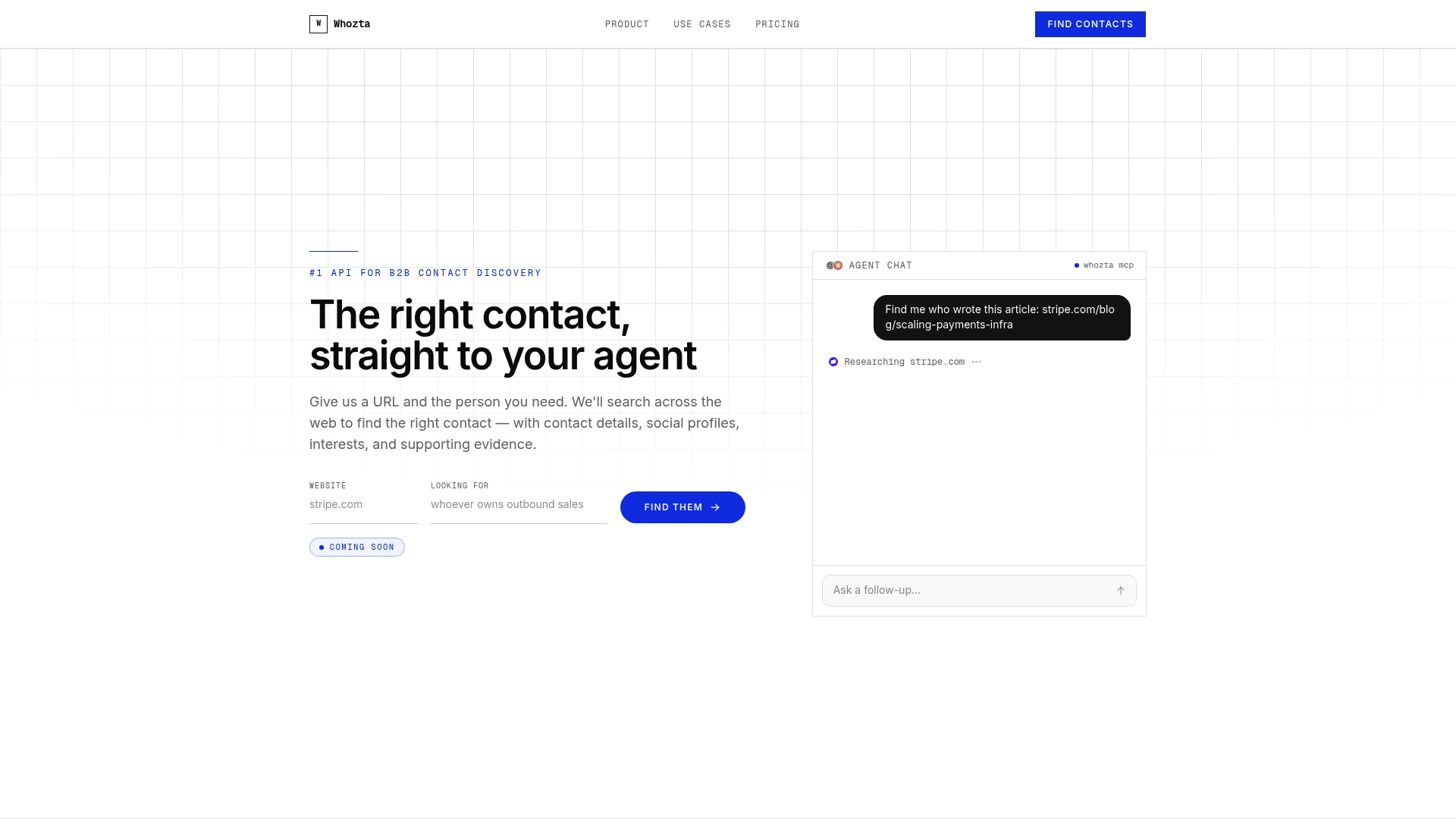
Use it for rapid enrichment when a new stakeholder name surfaces mid-deal, for validating titles before your rep sends a cold outreach that lands on a wrong contact, or for batch lookups across an entire target account list before a quarter kicks off. The API supports both individual and batch lookups, so it fits equally well inside a single-deal workflow or a broader account-based prospecting motion.
Whozta offers a free entry tier alongside paid monthly plans scaled to lookup volume, with custom pricing available for larger or regulated teams. Start with the Whozta contact discovery platform and run your next target account through it before your following pipeline review.