 Whozta
 Insights · 13 min read
Verify Contacts in Under 200 ms: Firmographic Enrichment for B2B
Implementation first guide for B2B teams to verify contacts at ingestion, reduce bounce rates, and run verification first enrichment workflow.

In this article, firmographic enrichment means enriching individual contact records through a contact-discovery API. Feed it an email, a name, or a company domain, and it returns a verified person profile. The practical answer for sales, marketing, and recruiting teams: enrich and verify at ingestion, not later in the workflow, using an API that checks deliverability before a record ever touches your CRM. Whozta builds around exactly that sequence.
TL;DR:
- Enriching records at the point of ingestion ensures consistent, verified data for downstream processes like routing and sequencing, reducing manual effort and errors.
- Implementing real-time, asynchronous, or batch enrichment with verification before import prevents low-confidence data from entering active campaigns and lowers bounce rates.
- Maintaining data hygiene through de-duplication, regular re-verification, and storing fetch timestamps improves data accuracy and campaign reliability over time.
- Monitoring key metrics such as match rate, bounce rate, time-to-enrich, and flagged records helps identify and correct issues that could harm deliverability and reputation.
- Validating compliance with regional privacy laws and checking data source transparency are essential steps before integrating enrichment vendors into outreach workflows.
Table of Contents
- What Does Firmographic Enrichment Cover at the Person Level?
- Why Enrichment Belongs at Ingestion, Not Downstream
- How Do You Implement Enrichment Workflows Safely?
- Data Hygiene Practices That Keep Enriched Records Clean
- Which Metrics Actually Show Enrichment Is Working?
- What Are the Most Common Enrichment Pitfalls?
- Privacy and Compliance Considerations for Contact Enrichment
- Where Does Firmographic Enrichment Pay Off Across Industries?
- How Do Enrichment Vendors Differ on Coverage and Approach?
- How Do You Keep Enriched Data Accurate Over Time?
- A 30-Day Starter Checklist for Enrichment Teams
- Try Whozta’s Verification-First Contact API
- Sources
What Does Firmographic Enrichment Cover at the Person Level?
Person-level enrichment takes a partial identifier and returns a structured profile. Feed an API an email address, a name plus company, or a LinkedIn URL, and it typically returns results in under 200 milliseconds by scanning public sources and licensed datasets simultaneously.
The fields that matter for outreach:
- Verified email address and phone number
- Job title and seniority level
- LinkedIn profile URL
- Company affiliation and department
- Professional interests or activity signals that support personalization
A sales rep working a target list feeds in 200 company domains and gets back named decision makers with verified emails. A recruiter feeds in a LinkedIn URL and gets a working phone number for a candidate who has gone dark. A marketing ops team feeds partial CRM records into the API and gets complete profiles for lead routing. Same mechanism, three different jobs.
Why Enrichment Belongs at Ingestion, Not Downstream
Treat enrichment as an architectural feature, not a task a rep does before a call. Integrating enrichment APIs at the point where a record enters your system means every downstream process, lead routing, sequencing, territory assignment, works on complete data by default. Nobody has to remember to enrich anything.
The alternative, letting reps enrich records manually before outreach, guarantees inconsistency. Some records get enriched well. Others get skipped under deadline pressure. Your CRM ends up half complete, and nobody trusts it enough to build automation on top of it.
A practical ingestion flow looks like this:
- A new contact record enters the system (form fill, list import, CRM sync).
- The enrichment API is called automatically, before the record reaches a human.
- Verified fields populate the record; unverified or low-confidence fields get flagged.
- Records missing key data get a
needs_manual_enrichmentflag and route to a queue instead of blocking the pipeline. - Complete, verified records flow straight into routing and sequencing logic.
That fourth step matters more than people give it credit for. Build the fallback in from day one.
Pro Tip: Target synchronous response times under two seconds for anything user-facing, like a form submission that enriches live. Anything slower, or any batch job over a few hundred records, belongs in an asynchronous queue instead of blocking a screen.
How Do You Implement Enrichment Workflows Safely?
Three patterns cover almost every real use case, and picking the wrong one is the most common implementation mistake.
Synchronous lookups work for single-record, user-facing moments: a rep pastes a LinkedIn URL into a tool and expects an answer now. Keep these under two seconds. Anything slower and users assume the tool is broken, even if it’s still working in the background.
Asynchronous enrichment fits background jobs: a new lead syncs from a form, gets queued, and gets enriched within seconds to minutes without anyone watching a spinner. The record updates in place once the API responds.
Batch enrichment handles list imports of hundreds or thousands of records. Respect rate limits, chunk requests, and build retry logic for partial failures. A failed batch job shouldn’t force a full re-run of records that already succeeded.
Across all three patterns, one step is non-negotiable: verification before import.
- Run enrichment to find candidate contact data.
- Run a separate SMTP-level verification check on the email before it enters your CRM or sending platform.
- Only write verified records into systems that trigger outbound sends.
A finder’s confidence score tells you how certain the matching algorithm is. Verification tells you whether the mailbox actually accepts mail. Those are different measurements, and conflating them is how clean-looking lists produce ugly bounce rates. Contact enrichment APIs commonly return results in under 200 milliseconds for single lookups, which is fast enough to add a verification call in the same flow without noticeably slowing anything down.
Data Hygiene Practices That Keep Enriched Records Clean
Enrichment without hygiene just produces a bigger, faster mess. A few habits separate teams that get reliable data from teams that get a CRM full of noise.
- Normalize and dedupe records before enrichment runs, not after; duplicate inputs waste API calls and create conflicting profiles.
- Verify every address before import, and split role-based addresses like info@ or sales@ into general campaigns, since routing them into personalized outbound sequences performs poorly and looks careless.
- Store the fetch timestamp on every enriched field, because person-level data decays faster than company-level firmographics.
- Route records by confidence score: high-confidence contacts go straight into active sequences, low-confidence ones go to manual review or a lower-risk nurture cadence.
Pro Tip: Set a re-verification trigger for any contact record older than 90 days before it re-enters an active campaign. Titles change, people change jobs, and a verified email from six months ago is not the same guarantee today.
Which Metrics Actually Show Enrichment Is Working?
Four numbers tell you whether your enrichment setup is paying off or quietly damaging your sending reputation.
- Match/coverage rate: the percentage of input records that return a usable profile, broken out by verified matches versus lower-confidence guesses.
- Bounce rate: track it separately for enrichment-sourced records versus other sources, since a spike here signals a matching problem before it tanks domain reputation.
- Time-to-enrich: how long a record sits between ingestion and having a complete profile, which matters most for synchronous, user-facing flows.
- Percent flagged
needs_manual_enrichment: a rising trend here usually means your input data quality dropped, not that the API got worse.
A useful gating rule: don’t allow a batch of enriched contacts into an active sending sequence until verified match rate clears a threshold you set, commonly somewhere above 80 to 85 percent verified, with everything below that routed to manual review first. Providers relying purely on pattern-based matching without a distinct verification step tend to produce higher bounce rates and weaker long-term deliverability, which is exactly what these metrics are built to catch early.
What Are the Most Common Enrichment Pitfalls?
Most enrichment failures trace back to the same handful of causes, and they’re avoidable once you know to check for them.
- Treating a vendor’s claim of a “100% match rate” as a guarantee rather than a marketing number; no provider verifies every contact on earth, and probabilistic guesses masquerading as matches are the leading cause of bounce spikes.
- Reintroducing suppressed or spam-trap addresses through a fresh enrichment pull that ignores your existing suppression list.
- Running outreach against stale person-level data, like a title from a job someone left eight months ago.
- Skipping the manual review queue entirely under volume pressure, which lets low-confidence records slip straight into active campaigns.
The fix in each case is procedural: enforce suppression checks on every import, cap how long a record can sit unverified before automatic re-check, and never let a “needs review” flag get bypassed just because the pipeline is backed up.
Privacy and Compliance Considerations for Contact Enrichment
Person-level data sits closer to individual privacy law than aggregate company data, and that changes what due diligence looks like. Before integrating any enrichment vendor, confirm their compliance posture for the regions where your contacts live, not just where your company is based.
GDPR governs how personal data about individuals in the EU and EEA can be collected, stored, and used, regardless of where your company operates. CCPA and related US state laws impose similar obligations for California residents, with other states adding their own variations. If your outreach touches contacts across multiple regions, a single blanket compliance assumption won’t hold up.
Practical steps that matter more than a generic privacy policy check:
Ask any vendor exactly which data sources feed their profiles and whether those sources have their own compliance basis for the region in question. Confirm how the vendor handles data subject deletion requests, since a contact record you enriched last year may need to be purged if that person requests it. Keep an internal audit trail of when a record was enriched, from what source, and when it was last verified, because that timestamp is often the first thing a compliance review asks for.
None of this replaces legal counsel for your specific situation, but treating compliance as a vendor question you ask once, upfront, beats discovering a gap after a campaign is already in the field.
Where Does Firmographic Enrichment Pay Off Across Industries?
The mechanics stay the same across teams, but the payoff shows up differently depending on what the team is actually trying to do.
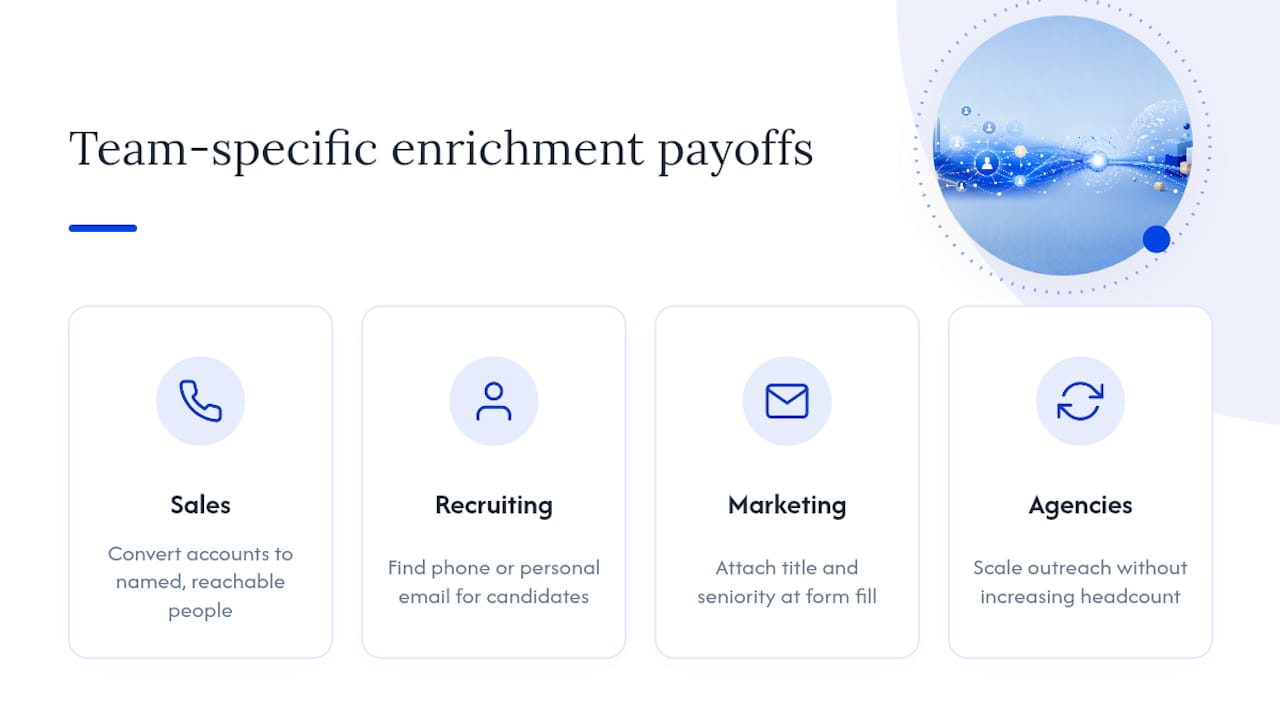
Sales teams use enrichment to convert a list of target accounts into a list of named, reachable people, cutting the manual research time between “here’s our target account list” and “here’s who to call.”
Recruiting teams enrich sourced candidate profiles to find a working phone number or personal email when a candidate has gone unresponsive on a platform’s internal messaging, often the difference between filling a role on time and restarting a search.
Marketing teams use enrichment to complete lead records at the moment of form fill, so a lead that comes in with just a work email gets a title and seniority attached before it’s routed to the right nurture track.
Agencies and business development shops running outreach on behalf of multiple clients use enrichment to scale prospecting without scaling headcount, since the API does the lookup work a junior researcher used to do by hand.
The common thread: enrichment turns a partial signal, an email, a name, a company, into a complete, actionable profile, and the value compounds the earlier in the pipeline it happens.
How Do Enrichment Vendors Differ on Coverage and Approach?
Vendors in this space generally split along two lines: how they source data, and whether verification is a built-in step or an afterthought.
Some providers optimize heavily for breadth, casting a wide net across public sources to maximize match rate on paper. That approach tends to produce more guessed matches and a higher bounce rate once those contacts hit an actual sending campaign, since breadth and verification are different design priorities.
Other providers, Whozta among them, build verification into the core workflow rather than treating it as a separate paid add-on. That means every returned contact has evidence attached, showing where the data came from, and a distinct verification pass on deliverability rather than a single blended confidence number. For teams that need to actually send email or make calls rather than just populate a spreadsheet, that distinction determines whether the tool saves time or creates cleanup work downstream.
Coverage specialties also vary by region and industry vertical. A vendor strong on North American SaaS contacts may have thinner data in European manufacturing or Asia-Pacific public sector roles. Ask any vendor directly which regions and industries their data partnerships actually cover well, rather than assuming global claims mean even coverage.
How Do You Keep Enriched Data Accurate Over Time?
Enrichment isn’t a one-time event. A profile that’s accurate the day it’s fetched can be wrong within months, since person-level fields decay faster than company attributes like industry or headcount.

Build a re-verification cadence tied to how the data gets used, not a fixed calendar rule applied uniformly. Contacts in active outbound sequences deserve a re-check every 60 to 90 days. Contacts sitting in a dormant nurture list can go longer between checks, since the cost of a stale record there is lower than in an active campaign.
Store the original fetch timestamp on every record and treat it as a first-class field, not metadata you ignore. When a campaign pulls a contact list, filter or flag anything past your staleness threshold before it enters the send queue, rather than discovering the problem in a bounce report after the fact.
Set up automated re-enrichment triggers tied to actual events where possible: a bounce on a previously verified email should trigger an automatic re-check rather than a manual ticket. A contact whose company domain changes, common after acquisitions, is another natural trigger point. Treating these as system events instead of quarterly manual audits keeps your data closer to current without adding headcount to the job.
A 30-Day Starter Checklist for Enrichment Teams
Start smaller than you think you need to. In week one, enable verification before import on whatever enrichment tool you’re already using, and tag anything that fails as needs_manual_enrichment rather than dropping it.
Run a pilot on 200 to 500 records in week two. Measure match rate and, critically, the actual bounce rate once those contacts get sent to. Don’t trust the vendor’s confidence score alone.
By week three, use whatever you learned to adjust your confidence threshold for auto routing versus manual review. In week four, turn your highest confidence signals, a verified phone number, a fresh LinkedIn URL, into automation triggers that move a contact straight into a multi-touch sequence. That’s the point where enrichment stops being a research task and starts being infrastructure.
— Nico
Try Whozta’s Verification-First Contact API
If you’ve read this far, you already know the gap between a “found” contact and a verified one. Whozta closes that gap by design: every lookup returns evidence from the source page, not just a guessed email pattern, and a distinct verification step runs before you ever see the result.
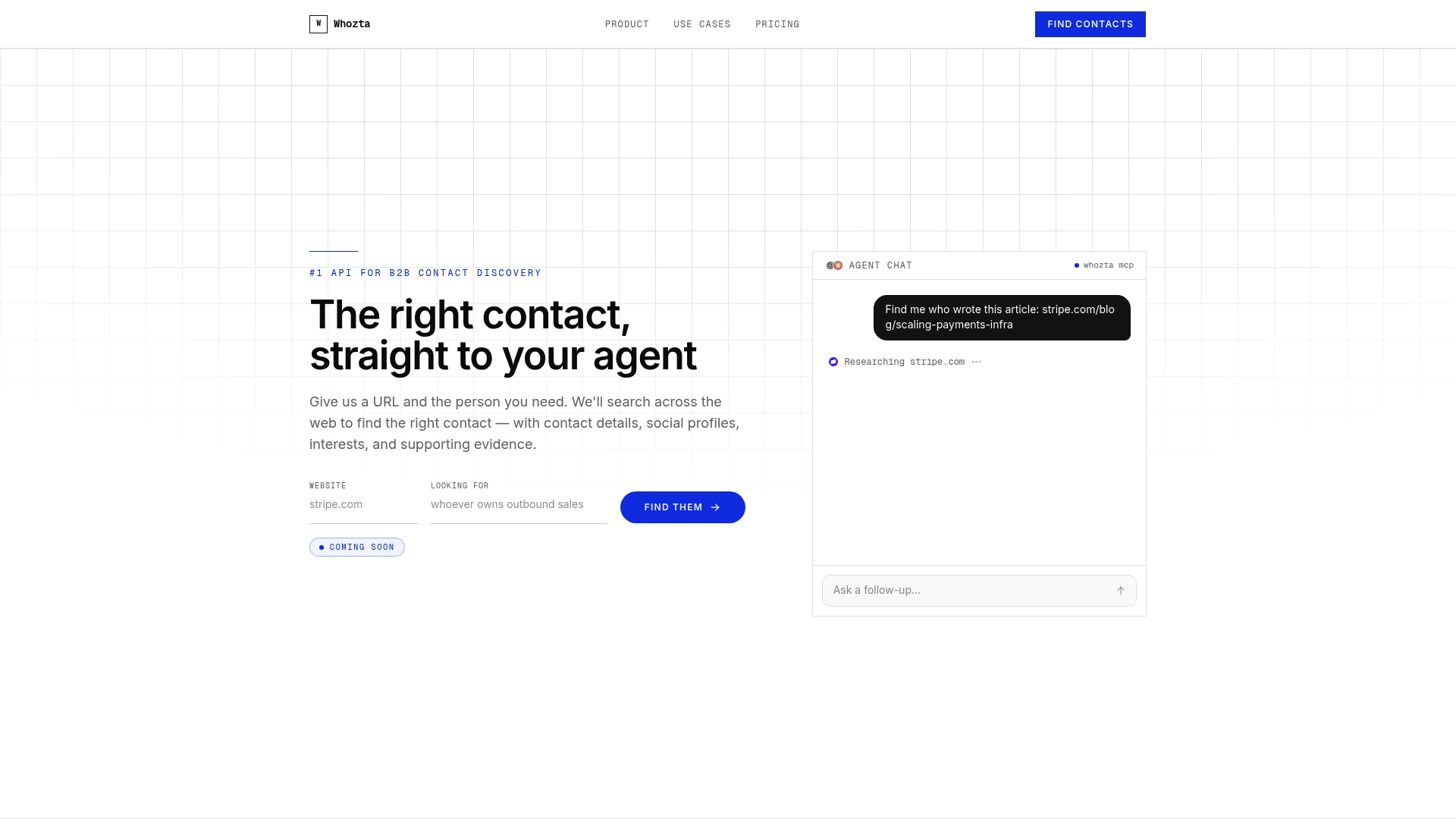
You can run single lookups through the REST API for real-time cases, or push batch imports through the same endpoint for list cleanup and enrichment at scale. Support for both synchronous calls and MCP integration means it fits into an existing pipeline instead of requiring you to rebuild one around it. The free tier is built for exactly the pilot described above: run a few hundred records, check your match rate and bounce impact against what you’re currently getting, and decide from real numbers instead of a vendor’s marketing page. Start a free lookup on Whozta and see what your current contact list is actually missing.
Sources
Enrichment APIs pull from a mix of public web sources, licensed data partnerships, and, in some cases, direct verification against mail servers. Reliability varies a lot depending on which of those a given provider actually leans on.
Public web scraping, professional network profiles, company websites, press releases, catches real signal but degrades fast when a person changes roles or a page goes stale. It’s excellent for surfacing a job title or a LinkedIn URL, weaker as the sole source for a working phone number.
Licensed data partnerships add structure and often cover contact fields that public scraping misses, but coverage depends heavily on which industries and regions the underlying data partners actually track well. A provider strong on enterprise software contacts might have thin coverage in manufacturing or public sector roles.
The layer that actually determines deliverability is verification: an SMTP-level check that confirms a mailbox accepts mail, independent of how confident the matching algorithm was. A profile assembled from three different data sources but never verified is still a guess dressed up as a fact. The most reliable enrichment setups treat sourcing and verification as two separate steps, not one blended confidence score, because a high match confidence and a working mailbox are not the same claim.